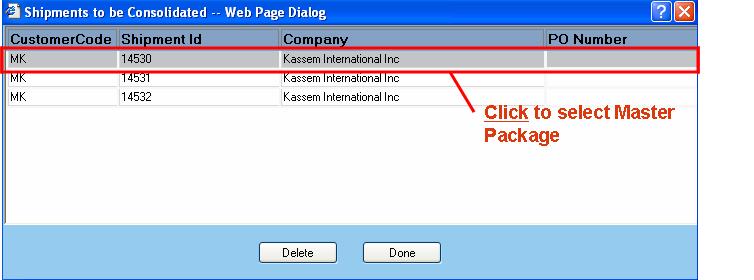
The Shipments to be Consolidated dialog is presented to the user whenever they want to either view the shipments to be consolidated, delete a shipment from the SWOS group, or select a master package from the list of shipments to be consolidated.
To select a master package, you can either click or double-click onto the desired shipment as shown.
Available functions are:
Delete - Click on this button to delete a shipment listed in the SWOS group. The user will be prompted to confirm removal of the selected shipment the SWOS group.
Done - Click on this button to accept the changes made.