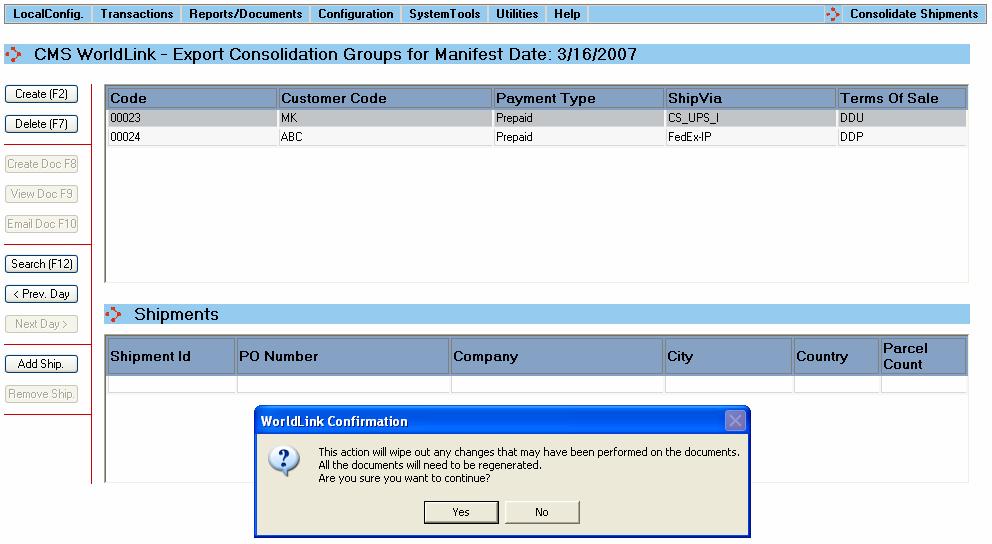
Shipments can be added to the selected consolidation group at any point of time by clicking on the “Add Ship.” button. Upon adding a shipment, all the user changes performed previously on the group data will be erased. This in turn will require for all the export documents to be recreated. The user will be required to confirm this action via following pop-up:
Upon confirmation by the user, WorldLink will display a list of all the open international shipments (the shipments that have not yet been part of a consolidation group) that satisfy the criteria of the selected consolidation group. Shipments can be added one by one or multiples at a time by selecting the desired row(s).
The format of the screen will look like the following:
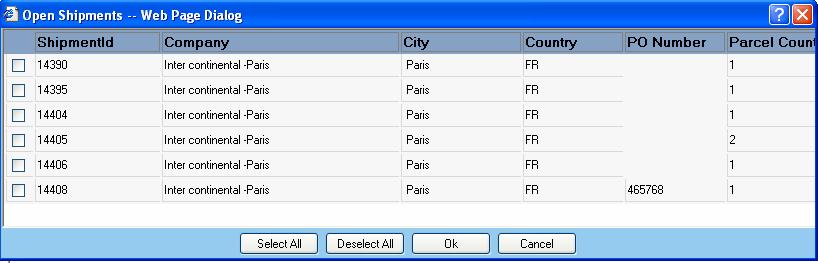
Upon clicking “OK”, all the selected shipments will be added to the consolidation group. The user will be informed with a success message (or an error message if the WorldLink server returns an error) and the Shipments section of the Export Consolidation screen will be populated with the list of selected shipments.