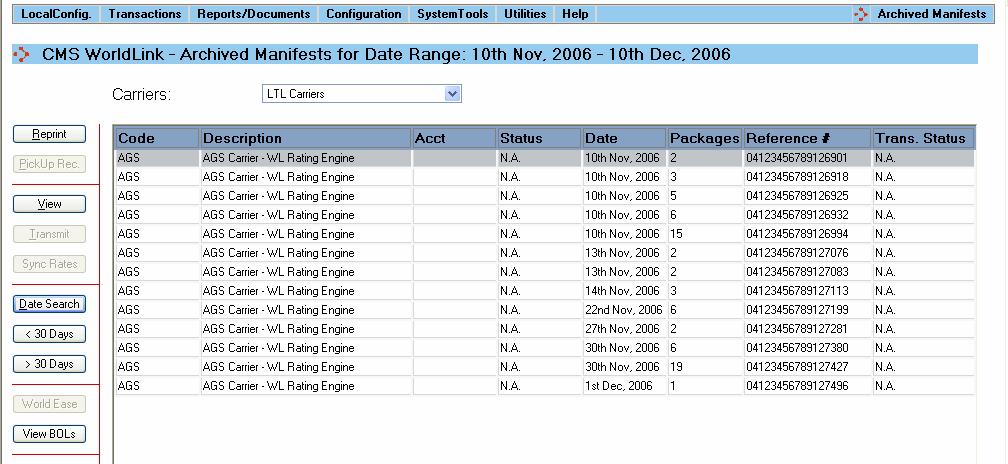
Once a Master Bill of Lading has been posted, it can be viewed and printed by selecting Transactions | Archived Manifests.
The following functions are available on this screen for LTL carriers:
• Reprint – Print the Master and/or underlying Bills of Lading
• View – View the shipments on the Master Bill of Lading
• Date Search – Select to search Master Bills of Lading (manifests) by date range
• < 30 Days – Shift the dates used to display the Master Bills of Lading to the previous 30 days
• > 30 Days – Shift the dates used to display the Master Bills of Lading to the next 30 days
• View BOLs – Display a list of the Bills of Lading on the selected Master