BestWay Vias allow you to specify criteria so that WorldLink can determine all delivery methods meeting the criteria, and depending upon the zone, this might include Overnight, Two-Day, and Ground delivery methods.
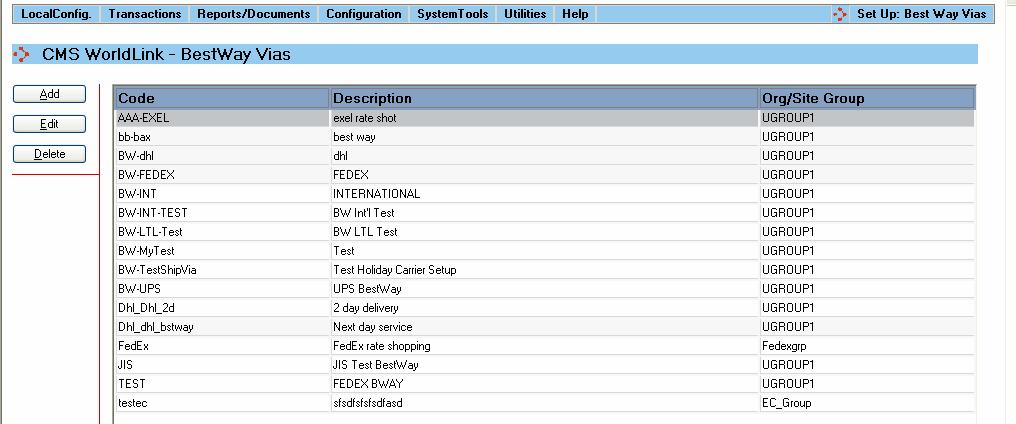
Select this menu option to configure and manage BestWay Vias that will search for the best carrier rate for a particular service. You will see a display like the one shown below that gives summary information about the BestWay Vias defined in the WorldLink system.
Available functions are:
Add - Click on this button to add a new BestWay Via. The BestWay Dialog window will be displayed for you to create a new BestWay Via.
Edit - Click on this button to edit an existing BestWay Via. The BestWay Dialog window will be displayed for you to edit the selected BestWay Via.
Delete - Click on this button to delete an existing BestWay Via. You will be prompted to confirm removal of the BestWay Via from the WorldLink database.
