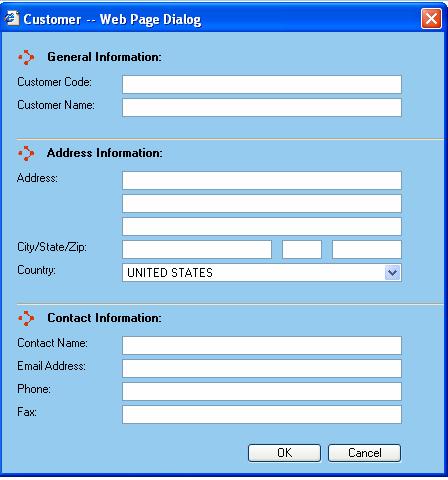
The Customer dialog is displayed whenever a user adds or edits a customer from the Customers Support Table screen.
General Information
Customer Code - This is the code by which you want the customer to be referenced in the WorldLink system. Certain functions of WorldLink will present the user with this code as reference to the customer.
Customer Name - The name of the customer.
Address Information
Address - Three lines are provided for the address of the customer.
City - The city in which the customer resides.
State - The state in which the customer resides. This is a two-character abbreviation of the state name.
Zip - The postal zip code of the customer.
Country - The country in which the customer resides. A drop-down box is provided for selecting the country. 'United States' is the default value for this field.
Contact Information
Contact Name - A point-of-contact for the customer.
Email Address - The email address of a point-of-contact for the customer.
Phone - The phone number for the customer.
Fax - The fax number for the customer.
Available functions are:
OK - Click on this button to accept the changes made.
Cancel - Click on this button to cancel out of the Customer dialog window and discard any changes made.