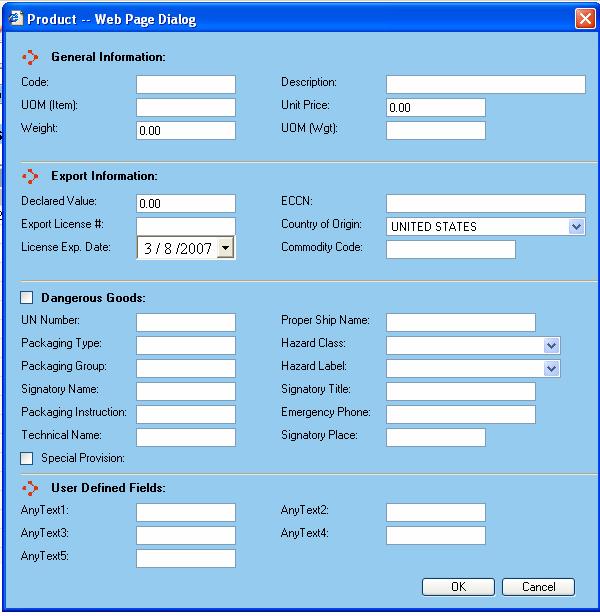
The Product dialog is presented to the user whenever they add or edit a product from the Products support table screen.
General Information
Code - This is the code by which you want the product to be referenced in the WorldLink system. Certain functions of WorldLink will present the user with this code as reference to the product.
Description - A description of the product.
UOM (Item) - The Unit of Measure for the product item.
Unit Price - The unit price of the product.
Weight - The weight of the product.
UOM (Weight) - The Unit of Measure for the product weight.
Export Information
Declared Value - The declared value of the product.
ECCN - The Export Control Classification Number for the product.
Export License # - The export license number for the shipper of the product.
License Exp. Date - The expiration date of the export license number.
Country of Origin - The country of origin for the product shipped.
Commodity Code - The commodity code for the product.
User Defined Fields
AnytextX - User definable fields that can be used to capture additional data.
Dangerous Goods
UN number - Enter the UN number.
Packaging Type - Enter the packaging type.
Fill out all relevant information.
Available functions are:
OK - Click on this button to accept the changes made.
Cancel - Click on this button to cancel out of the Product dialog window and discard any changes made.