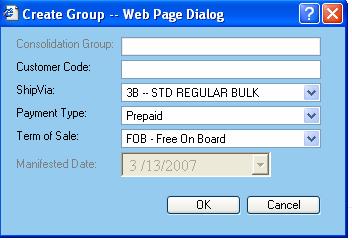
A new consolidation group can be created by clicking on the Create button or by using the function key F2 on the Export Consolidation screen.
The group will be created for the manifest date displayed on the top left corner of the web page. Please change the date to the desired one before creating the group.
The following additional data is required to create a consolidation group: